NotesBar

NotesBar
A unified, professional macOS utility for Obsidian and Apple Notes.
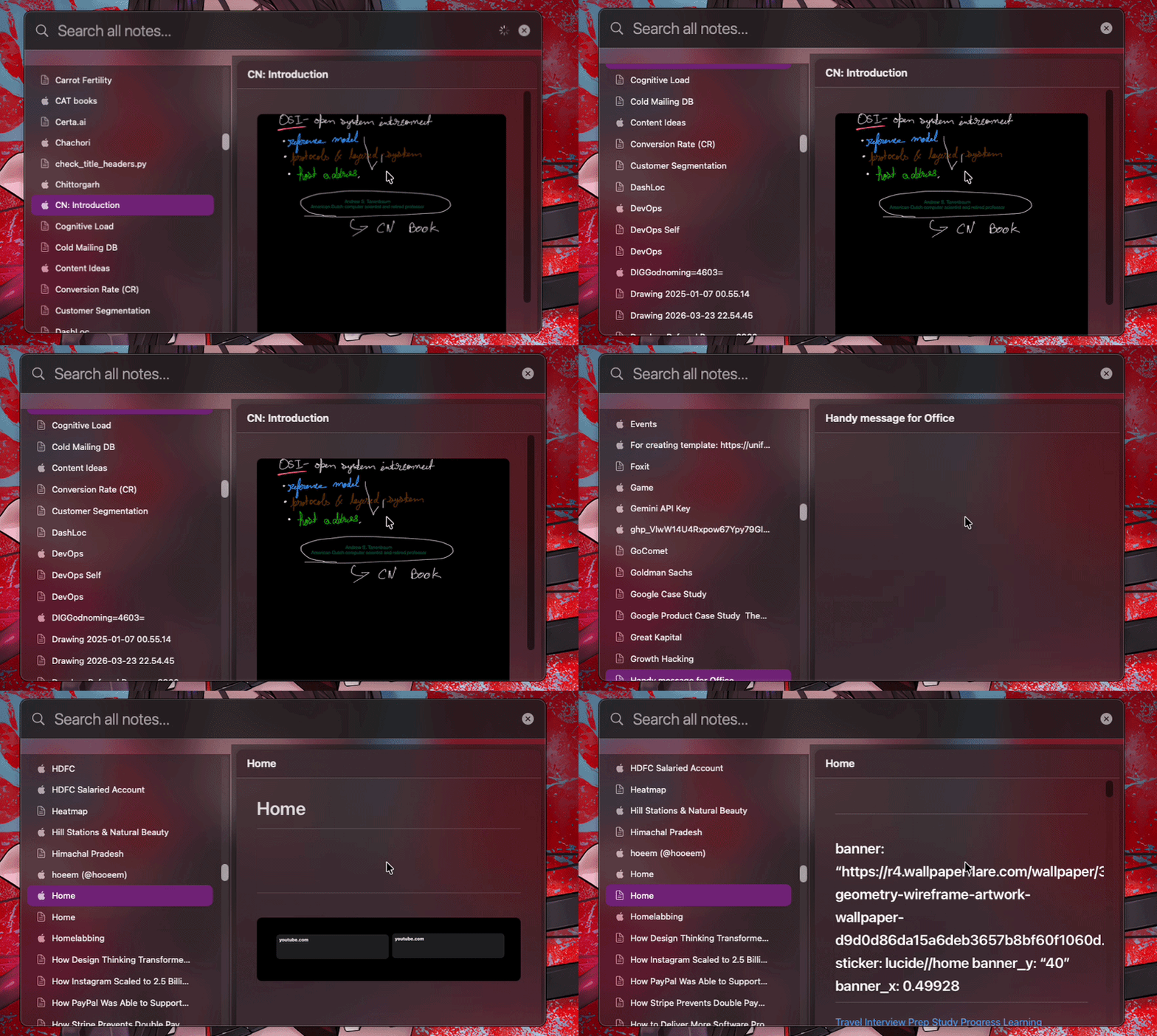
NotesBar is a high-performance macOS utility designed to seamlessly unify your personal knowledge base across Obsidian and Apple Notes. It provides instantaneous system-wide search, live markdown previews, and floating context preservation, empowering you to interact with your notes without disrupting your primary workflow.
📦 Installation
You can easily install NotesBar via Homebrew:
brew install --cask aman-senpai/apps/notesbar
🏗 Architecture
The diagram below outlines the core components and data flow within the application.
graph TD
    A[Global Search Controller] --> B[Vault Provider]
    B --> C[Obsidian Vaults]
    B --> D[Apple Notes Service]
    A --> E[Spotlight Indexer]
    A --> F[Dual-Pane Search View]
    F --> G[Markdown Preview Engine]
    G --> H[Mermaid/KaTeX Rendering]
    F --> I[Floating Window Manager]
🔄 User Workflow
NotesBar streamlines the discovery and interaction of your notes through a unified search-first model.
graph LR
    Start([Global Shortcut]) --> Search[System-Wide Search]
    Search --> Preview[Live Metadata Preview]
    Preview --> Action{Navigation}
    Action --> Floating[Floating Note Window]
    Action --> Native[Native App Handover]
    Action --> Spotlight[Spotlight Tab Search]
✨ Core Features
-
Unified Search Interface A high-performance search experience that aggregates content from all Obsidian vaults and Apple Notes simultaneously.
-
Global Accessibility Access your entire knowledge base from any application using a dedicated system-wide shortcut (
Ctrl + N). -
Apple Notes Integration Native support for viewing and searching Apple Notes with high-fidelity Markdown previews.
-
Spotlight System Integration Deep integration with macOS Spotlight, including support for specialized “Tab to Search” functionality for rapid note retrieval.
-
Markdown and Diagram Rendering High-performance rendering of Markdown content, including complex Mermaid diagrams and KaTeX mathematical notation.
-
Persistent Floating Windows Pin specific notes in independent, floating windows for continuous reference during complex tasks.
-
Context Preservation Operates entirely from the menu bar and floating panels, ensuring your primary workspace remains undisturbed.
🙏 Acknowledgments
- Obsidian ecosystem and URI schemes
- Apple Notes framework and automation services
- Mermaid.js for diagram rendering
- KaTeX for mathematical notation support